Say your team is launching a bookshop app. The product spec has one line about sign-up: "user confirms their email." It sounds like an afternoon of work. Then the questions start. How long should the link last? What happens when someone clicks it twice? What if they ask for three new emails in ten seconds? What if their company mail filter opens the link before they do?
Email verification is a small feature with a lot of edges. In this guide we walk through each design decision, show a compact Node.js and Express implementation in TypeScript, and finish with two kinds of test: an automated one that catches the email in a local mail catcher, and a quick manual check in a real inbox.
What verification proves (and what it doesn't)
A verified email proves one thing: at some moment, someone who could read that inbox clicked your link or typed your code. That's useful. It stops typos like maria@gmial.com from becoming dead accounts, and it gives you a working channel for password resets and receipts.
It doesn't prove who the person is, or that the account isn't a bot. Keep the feature focused on its one job.
Here is the whole flow we will build:
- User signs up. The account is created with
email_verified_at = NULL. - The server creates a random token, stores only its hash, and emails a link containing the token.
- The user opens the link and confirms. The server hashes the token, finds a matching unused and unexpired row, marks it used, and marks the user verified.
- If the email never arrives, the user can ask for a new one, within limits.
Step 1: generate a token you can't guess
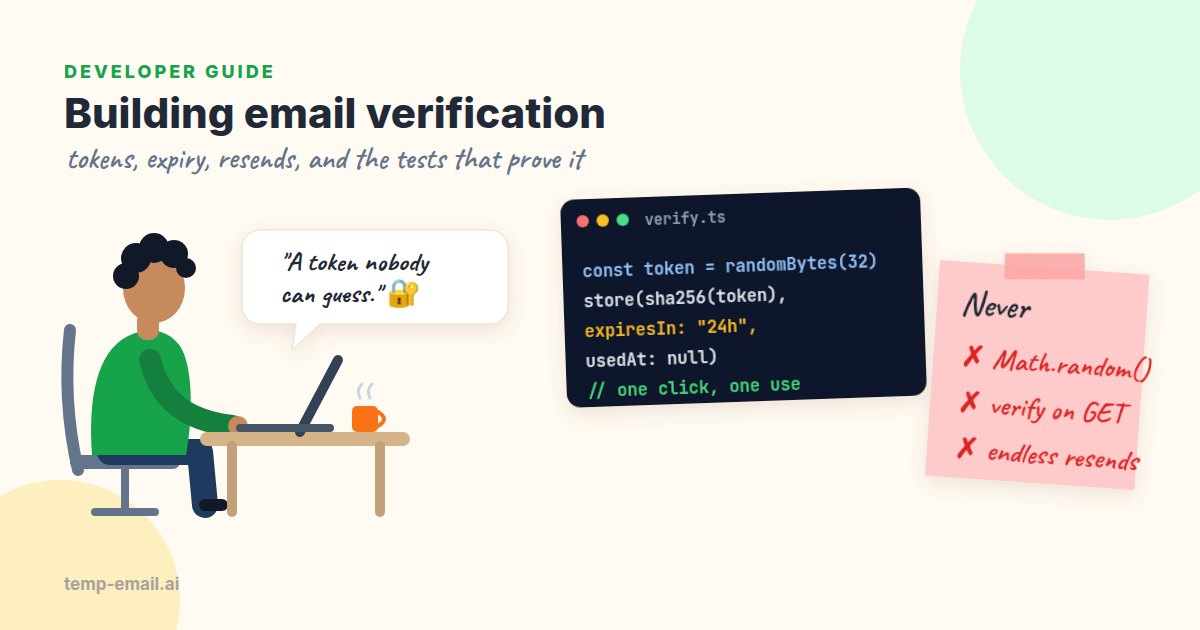
The token is the only thing standing between an attacker and someone else's verified account, so it has to be unguessable. That means a cryptographically secure random generator, never Math.random(), a timestamp, the user ID, or a hash of the email address. Thirty-two random bytes (256 bits) is plenty.
Then hash it before you store it. If your database ever leaks through a backup, a log export or an SQL injection bug, plain tokens would let someone verify accounts they don't own. A SHA-256 hash is enough here: unlike passwords, these tokens are long and random, so there is nothing to brute-force, and a fast hash lets you look the row up directly. The OWASP Forgot Password Cheat Sheet gives the same advice for reset tokens, which are close cousins of verification tokens.
// tokens.ts
import crypto from 'node:crypto';

export const TOKEN_TTL_MS = 24 * 60 * 60 * 1000; // links work for 24 hours
export const TOKEN_FORMAT = /^[A-Za-z0-9_-]{43}$/; // 32 bytes as base64url

export function hashToken(token: string): string {
  return crypto.createHash('sha256').update(token).digest('hex');
}

export function newToken() {
  const token = crypto.randomBytes(32).toString('base64url'); // goes in the email
  return { token, hash: hashToken(token) };                   // hash goes in the DB
}
Base64url keeps the token safe to drop into a URL without extra encoding. Checking the format before touching the database also means junk like ?token=../../etc gets a fast, boring 400.
Step 2: store it with an expiry and a used flag
One row per token, not a column on the users table. A separate table lets you keep a short history, which you will need for rate-limiting resends, and it makes "only the newest link works" easy to express.
CREATE TABLE email_verifications (
  id          BIGSERIAL   PRIMARY KEY,
  user_id     BIGINT      NOT NULL REFERENCES users(id) ON DELETE CASCADE,
  token_hash  CHAR(64)    NOT NULL UNIQUE,
  expires_at  TIMESTAMPTZ NOT NULL,
  used_at     TIMESTAMPTZ,
  created_at  TIMESTAMPTZ NOT NULL DEFAULT now()
);
CREATE INDEX email_verifications_user_recent ON email_verifications (user_id, created_at);
How long should a link live? For verification links, 24 hours is a good default: people sign up on their phone, get distracted, and come back after dinner. Codes typed by hand should be much shorter, 10 to 15 minutes, because a six-digit code has only a million possible values. Use TIMESTAMPTZ (or store UTC everywhere) so a server in another time zone doesn't quietly turn 24 hours into 19.
Step 3: send it, and verify it exactly once
Single use is where many implementations slip. The classic bug is a SELECT to check the token, then an UPDATE to mark it used. Two requests arriving at the same moment both pass the check. Do it in one atomic statement instead: the UPDATE only succeeds for a row that is still unused and unexpired, and RETURNING tells you whose it was.
// app.ts (Postgres via the pg package)
import express from 'express';
import { Pool } from 'pg';
import { newToken, hashToken, TOKEN_TTL_MS, TOKEN_FORMAT } from './tokens';
import { sendMail } from './mailer'; // your SMTP or email API wrapper

export const db = new Pool();
export const app = express();
app.use(express.urlencoded({ extended: false }));

export async function sendVerification(userId: number, email: string) {
  const { token, hash } = newToken();
  // A new link replaces the old ones, so only the newest email works.
  await db.query(`UPDATE email_verifications SET expires_at = now()
                   WHERE user_id = $1 AND used_at IS NULL AND expires_at > now()`, [userId]);
  await db.query(`INSERT INTO email_verifications (user_id, token_hash, expires_at)
                  VALUES ($1, $2, $3)`, [userId, hash, new Date(Date.now() + TOKEN_TTL_MS)]);
  const link = `${process.env.APP_URL}/verify?token=${token}`;
  await sendMail(email, 'Confirm your email for Bookshop',
    `Hi! Confirm your address to finish signing up:\n\n${link}\n\nThis link works for 24 hours.`);
}

app.post('/verify', async (req, res) => {
  const token = String(req.body.token ?? '');
  if (!TOKEN_FORMAT.test(token)) return res.status(400).send('This link is not valid.');
  const { rows } = await db.query(
    `UPDATE email_verifications SET used_at = now()
      WHERE token_hash = $1 AND used_at IS NULL AND expires_at > now()
      RETURNING user_id`, [hashToken(token)]);
  if (rows.length === 0) {
    return res.status(400).send('This link has expired or was already used. Request a new one from your account page.');
  }
  await db.query('UPDATE users SET email_verified_at = now() WHERE id = $1', [rows[0].user_id]);
  res.redirect(303, '/welcome?verified=1');
});
Verification happens on a POST, not when the link is opened. Here's why.
Why the link should open a page, not verify on GET
Many corporate mail systems and security tools open every link in an incoming email to check it for malware. If your GET handler verifies and burns the token, the scanner uses it up before the human ever sees it. The user clicks, gets "this link was already used", and files a support ticket. It's one of the most common verification bugs in production, and it never shows up on a developer's personal inbox.
The fix is small: the link opens a page with a "Confirm my email" button, and the button POSTs the token. Scanners load pages; they don't submit forms.
app.get('/verify', (req, res) => {
  const token = String(req.query.token ?? '');
  if (!TOKEN_FORMAT.test(token)) return res.status(400).send('This link is not valid.');
  res.set('Referrer-Policy', 'no-referrer'); // keep the token out of Referer headers
  res.send(`<form method="post" action="/verify">
    <input type="hidden" name="token" value="${token}">
    <button type="submit">Confirm my email</button>
  </form>`);
});
Putting the token straight into the HTML is safe here only because the format check above allows nothing but letters, digits, - and _. The Referrer-Policy header matters too: if this page loads analytics or a font from another site, the browser would otherwise send the full URL, token included, to that site.
Step 4: resends with rate limiting
Emails get lost, land in spam, or take a minute from a new sender. Users need a "send it again" button. Without limits, that button is also a free way to spam any address from your domain, which hurts your sender reputation (more on that in why emails land in spam).
Two limits cover most cases: a short cooldown between emails (60 seconds) and a cap per hour (say 5). Because old rows stay in the table, the history is already there to count.
app.post('/verify/resend', async (req, res) => {
  // res.locals.user is set by your auth middleware
  const user = res.locals.user as { id: number; email: string; emailVerifiedAt: Date | null };
  if (user.emailVerifiedAt) return res.status(204).end(); // nothing to do

  const { rows: [recent] } = await db.query(
    `SELECT count(*)::int AS sent_last_hour, max(created_at) AS last_sent
       FROM email_verifications
      WHERE user_id = $1 AND created_at > now() - interval '1 hour'`, [user.id]);

  const secondsSinceLast = recent.last_sent ? (Date.now() - recent.last_sent.getTime()) / 1000 : Infinity;
  if (secondsSinceLast < 60 || recent.sent_last_hour >= 5) {
    const wait = secondsSinceLast < 60 ? Math.ceil(60 - secondsSinceLast) : 3600;
    return res.status(429).set('Retry-After', String(wait))
      .json({ error: 'Please wait a little before asking for another email.' });
  }
  await sendVerification(user.id, user.email);
  res.status(202).json({ sent: true });
});
This version runs for a logged-in user, so it can't be used to probe which addresses have accounts. If you offer a resend form where people type an address, always return the same friendly response whether or not the address exists.
Link or code?
Both are fine. They suit different situations:
- Links are one click and carry lots of entropy, so they can live for a day. They break when the user reads mail on their phone but signed up on a laptop, and they are what scanners trip over.
- Codes (usually 6 digits) work across devices and inside mobile apps. With only a million possible values, they need a short expiry (10 to 15 minutes) and an attempt limit, for example 5 wrong tries before the code is dropped. Generate them with
crypto.randomInt(0, 1_000_000)and pad to six digits. - Hashing codes: a plain SHA-256 of a six-digit code can be reversed by trying all million values in under a second. Use an HMAC with a server-side secret (
crypto.createHmac('sha256', key)) so a database leak alone isn't enough.
Many apps send both: a link for the common case and a code in the same email for people on another device. If you go the code route, our guide on reading OTP codes in automated tests shows how to test it without flaky regexes.
Test it: a mail catcher in CI, a real inbox before release
Unit tests can cover the token helpers, but the bugs that hurt users live in the gaps: a link pointing at localhost, a template that drops the token, an email that never leaves the queue. An end-to-end test catches most of those, and it needs somewhere to read the email from.
For automated runs, that place is a local mail catcher. We like Mailpit: it accepts every message on SMTP port 1025, delivers nothing, and lets your tests search and read what arrived through a REST API on port 8025. Start it, then point your app's SMTP settings at it in the test environment:
docker run -d --name mailpit -p 1025:1025 -p 8025:8025 axllent/mailpit

# start your app with mail going to Mailpit instead of your real provider
SMTP_HOST=localhost SMTP_PORT=1025 APP_URL=http://localhost:3000 npm start
Because Mailpit catches mail for any address, each test can invent its own, so tests never read each other's email and there is nothing to clean up. Here is the whole flow in Vitest: sign up, find the email, pull out the token, and confirm it twice.
// verify.e2e.test.ts (Vitest, Node 18+)
import { test, expect } from 'vitest';
import { randomUUID } from 'node:crypto';

const MAILPIT = process.env.MAILPIT_URL ?? 'http://localhost:8025';
const APP = process.env.APP_URL ?? 'http://localhost:3000';

async function waitForEmail(to: string, subject: string, timeoutMs = 15_000) {
  const query = encodeURIComponent(`to:"${to}" subject:"${subject}"`);
  const deadline = Date.now() + timeoutMs;
  while (Date.now() < deadline) {
    const { messages } = await (await fetch(`${MAILPIT}/api/v1/search?query=${query}`)).json();
    if (messages.length > 0) { // newest first
      return (await fetch(`${MAILPIT}/api/v1/message/${messages[0].ID}`)).json(); // Text, HTML, ...
    }
    await new Promise(r => setTimeout(r, 250));
  }
  throw new Error(`No "${subject}" email for ${to} within ${timeoutMs / 1000}s`);
}

test('verification link works exactly once', async () => {
  const email = `signup-${randomUUID()}@example.test`; // unique per test
  await fetch(`${APP}/signup`, {
    method: 'POST', redirect: 'manual',
    headers: { 'content-type': 'application/x-www-form-urlencoded' },
    body: new URLSearchParams({ email, password: 'Correct-Horse-42' }),
  });

  const mail = await waitForEmail(email, 'Confirm your email');
  expect(mail.Text).toContain(`${APP}/verify?token=`); // right host, not localhost:3000 in staging
  const token = mail.Text.match(/verify\?token=([A-Za-z0-9_-]{43})/)?.[1];
  expect(token).toBeDefined();

  const confirm = () => fetch(`${APP}/verify`, {
    method: 'POST', redirect: 'manual',
    headers: { 'content-type': 'application/x-www-form-urlencoded' },
    body: new URLSearchParams({ token: token! }),
  });
  expect((await confirm()).status).toBe(303); // first use: verified
  expect((await confirm()).status).toBe(400); // second use: rejected
}, 30_000);
The search query uses Mailpit's search filters (to: and subject:), and results come back newest first. The search only returns summaries, so the helper fetches the full message by its ID to get the Text and HTML bodies. Mailpit runs next to your app, so polling every 250 milliseconds with a 15-second deadline is plenty. The .test domain is reserved for testing by RFC 2606, so even a misconfigured mailer can't reach a real person.
A few cases are easier to test against your own database than by waiting a day for real expiry. Insert a row with expires_at in the past and confirm the POST returns 400. Call sendVerification twice and check the first token no longer works. Fire the resend endpoint six times and expect a 429 with a Retry-After header.
The manual check: one real inbox before release
Mailpit proves your app builds the right email and hands it to SMTP. It can't prove the email survives the trip through your real provider, your DNS records and a real receiving server. That last mile breaks in its own ways: an API key that only works in production, a sender domain nobody verified with the provider, a link host that's right in CI and wrong on staging.
So before each release, run the flow once by hand on staging, where mail goes through your real provider. Open temp-email.ai in a new tab to get a disposable inbox for testing, sign up with that address, and check:
- The email arrives within a minute or two. The first message from a new sender domain can be a little slower.
- The sender name and address are the ones you expect, not
no-reply@localhostor the provider's sandbox domain. - The link points at staging, opens the confirm page, and the second click shows the friendly "already used" message.
- The email reads well: subject, preview text, button and the plain link underneath for people whose client hides buttons.
For a longer list of scenarios, from expired links to Unicode addresses, see how to test email verification.
Common bugs checklist
Before you ship, run down this list. Each item is a real bug we've seen in sign-up flows:
- The token is checked with a SELECT and marked used with a separate UPDATE, so two fast clicks both succeed.
- The GET handler verifies, so mail scanners burn the token before the user clicks.
- Tokens are stored in plain text, or logged: access logs record full URLs, query string included. Keep logs short-lived or strip
token=. - The link uses a hard-coded host, so staging emails point at production or
localhost:3000. - A resend doesn't replace older links, or it does and the error page just says "invalid" with no way forward. Say what happened and offer a new email.
- No resend limit, so one script can send thousands of emails from your domain.
- Changing the account email updates it right away instead of verifying the new address first. Verify the new one, then switch, and send a heads-up to the old one.
- Expiry compares local time with UTC, so links die early or live too long.
Wrapping up
Good email verification is mostly careful bookkeeping: a random token, a hash in the database, an expiry, one atomic "use it once" update, and a resend button with sensible limits. Add a confirm page so scanners can't spend your links, an end-to-end test that reads the email from Mailpit, and a quick look in a real inbox before each release, and the feature that "takes an afternoon" will keep working long after launch. Happy building!