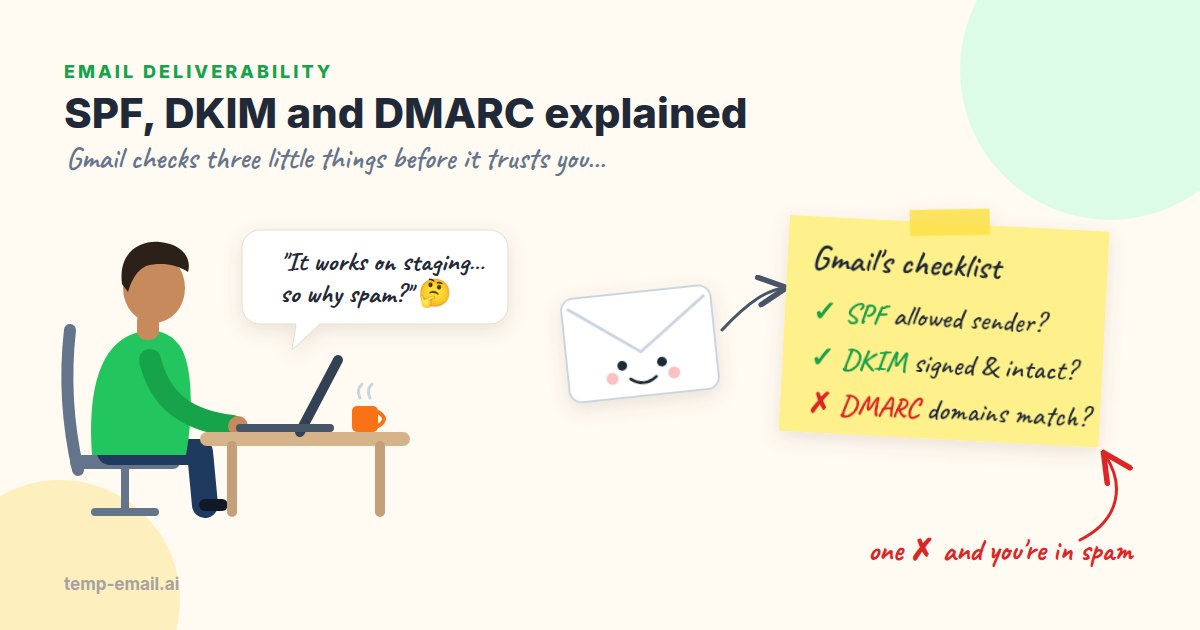
Say your team is launching a bookshop app at bookshop.example. Sign-up confirmations go out through an email provider, staff mail lives in Google Workspace, and marketing sends a monthly newsletter from a third tool. Three different systems all send mail that says From: ...@bookshop.example. So how does Gmail know which of them are really you?
That is the job of SPF, DKIM and DMARC. Each one is a DNS TXT record (a small piece of text published alongside your domain), and each answers a different question:
- SPF: is the server that delivered this message allowed to send mail for this domain?
- DKIM: was this message signed by the domain, and has it changed since it was signed?
- DMARC: does the domain the reader sees in the From line match a domain that passed SPF or DKIM, and what should happen if it doesn't?
None of them stops spoofing on its own. Together they do. Let's take them one at a time, with records you can copy and commands you can run.
First, the two "from" addresses
Every email carries two sender addresses, and mixing them up causes most of the confusion. The envelope sender (also called Return-Path or MAIL FROM) is used by servers for bounces. The header From is the one your reader sees in their mail app.
Your email provider often sets the envelope sender to its own domain, something like bounces+12345@provider.example, while the header From says hello@bookshop.example. SPF checks the envelope sender. DKIM checks whichever domain signed the message. DMARC ties both back to the header From. Keep that in mind and the rest falls into place.
SPF: the list of allowed senders
SPF (Sender Policy Framework) is one TXT record on the domain used as the envelope sender. It lists the IP addresses and services allowed to send for that domain. The receiving server looks up the record and checks the IP address that connected to it against the list.
bookshop.example. 3600 IN TXT "v=spf1 include:_spf.google.com include:sendgrid.net ip4:203.0.113.25 -all"v=spf1marks this as an SPF record.include:_spf.google.comallows Google Workspace's servers (staff mail).include:sendgrid.netallows SendGrid (the app's transactional mail).ip4:203.0.113.25allows one specific server, say an old invoicing box.-allsays everything else fails.~all(softfail) is the gentler "probably not us". Many teams use~alland let DMARC make the final call.
Checking it takes one command. dig ships with macOS and most Linux distributions (on Windows, nslookup -type=TXT does the same job):
$ dig +short TXT bookshop.example
"google-site-verification=3fQ9xK..."
"v=spf1 include:_spf.google.com include:sendgrid.net ip4:203.0.113.25 -all"
You will often see verification strings mixed in, because dig shows every TXT record on the name. Only the one starting with v=spf1 matters, and there must be exactly one of it.
em1234.bookshop.example) and publish SPF there for you. Read your provider's domain setup page before adding an include: to your root record. You may not need it at all.Mistake 1: two SPF records
Here is a classic. Marketing signs up for a newsletter tool, which says "add this TXT record". Someone adds a second v=spf1 record instead of editing the first. The SPF spec treats that as a permanent error (permerror), and receivers then treat SPF as failed for all your mail, including the sign-up emails that worked fine for months.
; Wrong: two SPF records on the same name -> permerror
bookshop.example.  TXT  "v=spf1 include:_spf.google.com ~all"
bookshop.example.  TXT  "v=spf1 include:spf.newsletter-tool.example ~all"

; Right: one record that lists both
bookshop.example.  TXT  "v=spf1 include:_spf.google.com include:spf.newsletter-tool.example ~all"
Mistake 2: more than 10 DNS lookups
A receiver will do at most 10 DNS lookups while evaluating your SPF record (RFC 7208, section 4.6.4). Each include, a, mx, ptr, exists and redirect costs one, and so does every include nested inside them. ip4, ip6 and all are free. Go over 10 and the result is permerror again.
The catch is that includes hide their cost. include:_spf.google.com looks like one lookup, but look inside:
$ dig +short TXT _spf.google.com
"v=spf1 include:_netblocks.google.com include:_netblocks2.google.com include:_netblocks3.google.com ~all"
That one line costs four lookups. Add a CRM, a helpdesk, a newsletter tool and a second email provider, and you can pass 10 without anyone noticing. This short Python script walks the tree and counts for you:
# spf_lookups.py: count the DNS lookups an SPF record needs (limit: 10)
# Usage: pip install dnspython && python spf_lookups.py bookshop.example
import sys
import dns.resolver

def spf_record(domain):
    answers = dns.resolver.resolve(domain, "TXT")
    texts = [b"".join(r.strings).decode() for r in answers]
    spf = [t for t in texts if t.lower().startswith("v=spf1")]
    if len(spf) != 1:
        sys.exit(f"{domain}: found {len(spf)} SPF records, need exactly 1")
    return spf[0]

def count_lookups(domain, depth=0):
    record = spf_record(domain)
    print("  " * depth + f"{domain}: {record}")
    total = 0
    for term in record.split()[1:]:
        term = term.lower().lstrip("+-~?")
        if term.startswith("include:"):
            total += 1 + count_lookups(term[len("include:"):], depth + 1)
        elif term.startswith("redirect="):
            total += 1 + count_lookups(term[len("redirect="):], depth + 1)
        elif term.split(":")[0].split("/")[0] in ("a", "mx", "ptr", "exists"):
            total += 1
    return total

if __name__ == "__main__":
    print(f"\nTotal: {count_lookups(sys.argv[1])} of 10 lookups")
If you are over the limit, remove services you no longer use first. Then move bulk senders such as the newsletter to their own subdomain (news.bookshop.example) with its own SPF record. "SPF flattening" tools replace includes with raw IP ranges, which works until a provider changes its IPs and nobody updates the list.
DKIM: a signature on every message
DKIM (DomainKeys Identified Mail) adds a cryptographic signature to each message as a header. Your provider signs with a private key it keeps. You publish the matching public key in DNS. The receiver fetches the key and checks that the signed headers and the body haven't changed.
DKIM-Signature: v=1; a=rsa-sha256; c=relaxed/relaxed; d=bookshop.example;
        s=s1; t=1793145600; h=from:to:subject:date:message-id:mime-version;
        bh=2jUSOH9NhtVGCQWNr9BrIAPreKQjO6Sn7XIkfJVOzv8=;
        b=Kx4Lr1v0QmZ... (a few hundred more characters)
Two tags matter when you debug. d= is the signing domain, and s= is the selector, a label that lets one domain have several keys (one per service). The public key lives at <selector>._domainkey.<domain>:
$ dig +short TXT google._domainkey.bookshop.example
"v=DKIM1; k=rsa; p=MIIBIjANBgkqhkiG9w0BAQEFAAOCAQ8AMIIBCgKCAQEAq8f..."

# Many providers ask you to add a CNAME that points to a key they host.
# dig follows it and prints the CNAME target first, then the key.
$ dig +short TXT s1._domainkey.bookshop.example
s1.domainkey.u1234567.wl123.sendgrid.net.
"v=DKIM1; k=rsa; p=MIGfMA0GCSqGSIb3DQEBAQUAA4GNADCBiQKBgQDH..."
Why bother when SPF already exists? Because DKIM survives forwarding. When a university forwards mail to a student's Gmail account, the forwarding server's IP isn't in your SPF record, so SPF fails. The DKIM signature travels with the message and still checks out, as long as nobody edits it on the way.
The DKIM mistakes we see most:
- Signing with the provider's domain. Out of the box, many providers sign with
d=set to their own domain. DKIM passes, but it doesn't help DMARC, as you'll see below. Turn on "domain authentication" or "custom DKIM" so the signature saysd=bookshop.example. - A broken key in DNS. A 2048-bit key is longer than the 255-character limit for one TXT string, so it must be split into several quoted strings inside one record. Some DNS panels do this for you; others quietly cut the key short.
- Something edits the message after signing. A mailing list adds a footer, or a security gateway rewrites links. The body hash no longer matches and DKIM fails.
- Rotating keys in the wrong order. Publish the new selector first, switch signing, and only remove the old key once mail signed with it has stopped arriving.
DMARC: alignment plus a policy
DMARC (Domain-based Message Authentication, Reporting and Conformance) is published at _dmarc.<domain>. A message passes DMARC when SPF or DKIM passes and the domain that passed matches the header From domain. That matching is called alignment. By default it is relaxed, so em1234.bookshop.example aligns with bookshop.example, but sendgrid.net does not.
$ dig +short TXT _dmarc.bookshop.example
"v=DMARC1; p=quarantine; rua=mailto:dmarc@bookshop.example; adkim=r; aspf=r"p=is the policy for failing mail:none(report only),quarantine(spam folder) orreject(refuse it).rua=is where receivers send daily aggregate reports, as XML.sp=sets a separate policy for subdomains, if you want one.adkim=andaspf=pick relaxed (r) or strict (s) alignment.
Here is what a misaligned setup looks like in practice. The bookshop's confirmation emails were going to spam, and Gmail's Show original view showed this header:
Authentication-Results: mx.google.com;
       dkim=pass header.i=@sendgrid.net header.s=smtpapi;
       spf=pass smtp.mailfrom=bounces+123456@sendgrid.net;
       dmarc=fail (p=QUARANTINE sp=QUARANTINE dis=QUARANTINE) header.from=bookshop.example
SPF passed and DKIM passed, yet DMARC failed, because neither passing domain was bookshop.example. The fix took ten minutes: turn on domain authentication in the provider, add the three DNS records it asked for, and wait for DNS to update. The next message read:
Authentication-Results: mx.google.com;
       dkim=pass header.i=@bookshop.example header.s=s1;
       spf=pass smtp.mailfrom=bounces+123456@em1234.bookshop.example;
dmarc=pass (p=QUARANTINE sp=QUARANTINE dis=NONE) header.from=bookshop.exampleMistake 3: p=none forever
p=none means "send me reports, but don't act on anything". It is the right first step and a poor place to stay. With p=none, anyone can still send mail as your domain, and receivers will deliver it. Plenty of domains add it to tick a checklist box and never open a report again.
A rollout that works for most small teams:
- Publish
p=nonewith anrua=address you actually read. - For two to four weeks, read the reports. List every service sending as your domain and fix anything legitimate that isn't aligned. Raw reports are XML, so a free report viewer or the open-source
parsedmarcsaves a lot of squinting. - Move to
p=quarantineand keep reading the reports. - After a few clean weeks, move to
p=reject.
Domains that send no mail at all deserve protection too. A parked or old domain is an easy target for spoofing, and two records shut that down:
bookshop-old.example.          TXT  "v=spf1 -all"
_dmarc.bookshop-old.example.   TXT  "v=DMARC1; p=reject;"
The 2024 Gmail and Yahoo sender rules
In February 2024, Google and Yahoo started enforcing new requirements for anyone sending to their users. The details live in Google's email sender guidelines and Yahoo's sender best practices, and they are worth reading in full. The short version:
- All senders: SPF or DKIM, valid forward and reverse DNS for sending IPs, TLS for the connection, properly formatted messages, and a spam complaint rate below 0.3% (Google recommends staying under 0.1%).
- Bulk senders (Google's line is about 5,000 or more messages a day to Gmail addresses): SPF and DKIM, a DMARC record with at least
p=none, a header From domain aligned with SPF or DKIM, and one-click unsubscribe for marketing mail, honored within two days.
Transactional mail such as password resets doesn't need an unsubscribe link. It does count toward the volume, though: Google adds up everything sent from the same primary domain, and once a domain crosses the line it is treated as a bulk sender from then on. Microsoft introduced similar requirements for high-volume senders to Outlook.com addresses in 2025. The direction is clear: aligned SPF, DKIM and DMARC are now the baseline.
A five-minute check for your own domain
Save this as check-mail-dns.sh and run it with your domain and DKIM selector (your provider's setup page shows the selector):
#!/usr/bin/env bash
# Usage: ./check-mail-dns.sh bookshop.example s1
DOMAIN="$1"
SELECTOR="${2:-s1}"

show() {
  local out
  out=$(dig +short "$1" "$2" | grep -i -- "${3:-.}")
  echo "${out:-  (nothing found)}"
}

echo "== SPF ($(dig +short TXT "$DOMAIN" | grep -ci 'v=spf1') record(s), must be 1) =="
show TXT "$DOMAIN" "v=spf1"
echo "== DMARC =="
show TXT "_dmarc.$DOMAIN"
echo "== DKIM ($SELECTOR) =="
show TXT "$SELECTOR._domainkey.$DOMAIN"
echo "== MX =="
show MX "$DOMAIN"
Then finish the check with real mail:
- Run the SPF lookup counter above and make sure you're under 10.
- Trigger a real email from your app (sign-up, password reset) to a Gmail address and read Show original. You want three passes, and the domains next to them should be yours.
- Send the same flow to a disposable inbox for testing to confirm it arrives and the content looks right. Our guide to testing email HTML rendering covers what to look for.
- A week later, open your DMARC reports and look for senders you didn't expect.
Quick reference: symptoms and causes
spf=permerror: two SPF records, or more than 10 lookups.spf=softfailorfail: the sending service isn't in the record for the envelope sender's domain.dkim=failafter a change: the key in DNS is wrong or truncated, or something edited the message after signing.dmarc=failwhile SPF and DKIM pass: alignment. The passing domain is your provider's, not yours.- Everything passes but mail still goes to spam: authentication proves who you are, not that people want your mail. Reputation, content and complaints come next.
That last one deserves its own article, so we wrote one: why your app's emails land in spam walks through the causes beyond DNS and gives you a step-by-step debugging checklist.
SPF, DKIM and DMARC look scary because the records look like line noise. Once you know that SPF checks the envelope sender, DKIM checks the signature and DMARC checks that both line up with the From address, every failure points to a fairly small fix. Set them up once, read the reports for a few weeks, and move that policy past p=none. Your future self, the one not answering "I never got the email" tickets, will be grateful.