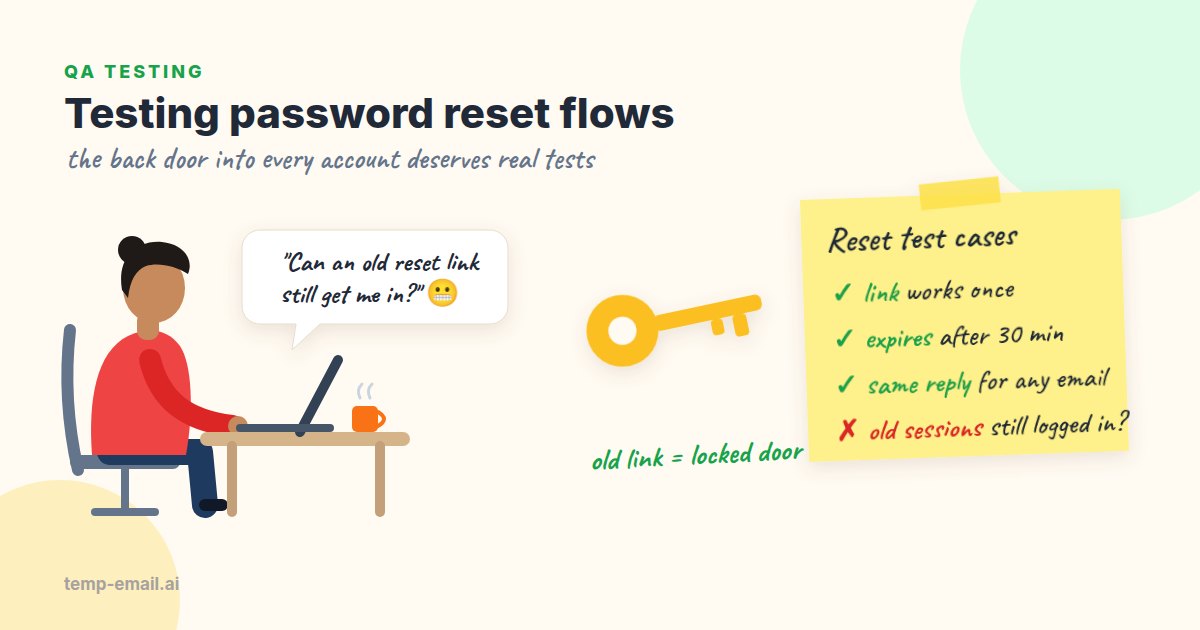
Password reset is an odd feature. Most users touch it maybe once a year, so it gets little attention in testing. Yet a single working reset link hands over a whole account to whoever holds it. Attackers know this: with a list of email addresses from an old breach, "Forgot password?" is one of the first buttons they try.
This guide turns the security side of password reset into concrete test cases you can paste into a test plan, each with steps, the expected result and the reason it matters. Then we automate the important ones in TypeScript, with a local mail catcher and a unique address for every test user.
The flow, and where it breaks
A typical reset has four steps. The user submits their email address. The server creates a one-time token and emails a link. The user opens the link and sets a new password. The server spends the token. Most bugs live in the gaps between those steps: tokens that live too long, links built from data an attacker controls, and sessions that survive a password change.
The OWASP Forgot Password Cheat Sheet is the standard reference, and the cases below follow its main points. If you also own the sign-up side, the same token checks apply there; see our guide on testing email verification.
Setup: one fresh inbox per test user
Every case below needs a real account with an inbox you can read. Your own address works badly here. After a few runs you have a stack of identical "Reset your password" emails, and it is easy to click the wrong one and draw the wrong conclusion. That is how "the old link is rejected" passes by accident: you clicked the new link twice.
Instead, open temp-email.ai, register a staging account with the address it gives you, and keep that tab open. For a second user, open a new tab or private window to get a second inbox. Our disposable inbox for testing page explains the setup in more detail. Keep these to throwaway staging accounts: anyone with the inbox link can read it, so never point a real admin or production account at one. For the automated tests later on, a local mail catcher plays the same role.
Security test cases
TC1: A reset link works only once
- Steps: Request a reset. Open the link and set a new password. Open the same link again, or go back and submit the form a second time.
- Expected: The second attempt fails with a message such as "This link has already been used" and a way to request a new one. The password set in the first attempt still works.
- Why: Reset links end up in browser history, shared screens, support tickets and proxy logs. A link that works twice works for whoever finds it.
TC2: Tokens expire
- Steps: Request a reset. Wait past the token's lifetime, then open the link. To avoid waiting, give staging a short lifetime (say, 2 minutes) or move the token's creation time back in the test database.
- Expected: The link is rejected with a friendly "This link has expired" page. A link opened just before the limit still works.
- Why: Forgotten reset emails sit in inboxes for years. If a mailbox is ever compromised, every live link in it is a free account takeover. Keep the lifetime short; 15 to 60 minutes is common.
TC3: A new request makes older links useless
- Steps: Request a reset twice. Two emails arrive. Open the older link.
- Expected: The older link is rejected and the newer one works. At the very least, both must die as soon as either one is used.
- Why: People press the button twice all the time. You want exactly one live token per account.
TC4: No user enumeration
- Steps: Submit the form with a registered address, then with an address that has never been registered (a brand-new disposable inbox is perfect, because you can watch it stay empty). Compare the status code, response body, page text and response time.
- Expected: The same message for both, such as "If an account exists for that address, we've sent a link." The same status code. Response times close enough that you can't tell them apart. No reset link arrives at the unregistered address.
- Why: If real accounts get a different message, or a slower answer, an attacker learns which addresses are worth attacking.
Timing is the part people skip. If the server only creates a token and calls the email provider for real users, real users can take a few hundred milliseconds longer to answer. The usual fix is to send the email from a background job, so both paths return equally fast. A quick curl loop shows whether you have the problem:
APP=https://staging.bookshop.example
KNOWN=calmlake3315abe2@snapmailnow.com      # a test user you registered by hand
UNKNOWN="nobody-$(date +%s)@example.test"   # never registered anywhere

for i in 1 2 3; do
  for email in "$KNOWN" "$UNKNOWN"; do
    curl -s -o /dev/null -w "%{http_code}  %{time_total}s  $email\n" \
      -X POST "$APP/api/password/forgot" \
      -H 'Content-Type: application/json' \
      -d "{\"email\":\"$email\"}"
  done
done
Run it a few times and look at the pattern, not one number. If every KNOWN line is 0.4 seconds and every UNKNOWN line is 0.05 seconds, you have found a leak. While you are at it, check the sign-up form too: "This email is already registered" leaks the same information, so many teams send an email to the existing account instead of showing that message.
TC5: Old sessions are signed out
- Steps: Log in as the user in browser A (and note any API or refresh token your app issues). In browser B, reset the password. Go back to browser A and reload. Replay the old API token.
- Expected: Browser A is signed out and the old tokens are rejected, or the reset page offers "Sign out of all devices" and that option works. The old password no longer logs in.
- Why: People reset their password because they think someone else is in their account. If the intruder's session survives, the reset changed nothing.
TC6: The link cannot be pointed at another host
- Steps: Request a reset with a changed
X-Forwarded-Host(orHost) header, as in the curl example below, then read the link in the email. - Expected: The link always uses your configured domain.
- Why: If the app builds the link from request headers, an attacker can request a reset for your user with their own host in the header. The real email then links to the attacker's server, and one click hands them the token. This is called password reset poisoning.
APP=http://localhost:3000        # app under test, sending its mail to Mailpit
MAILPIT=http://localhost:8025
ADDR=tc6-user@example.test       # a user registered in this environment

curl -s -X POST "$APP/api/password/forgot" \
  -H 'Content-Type: application/json' \
  -H 'X-Forwarded-Host: attacker.example' \
  -d "{\"email\":\"$ADDR\"}"

sleep 1
ID=$(curl -s -G "$MAILPIT/api/v1/search" \
  --data-urlencode "query=to:\"$ADDR\" subject:\"reset your password\"" \
  | jq -r '.messages[0].ID')
curl -s "$MAILPIT/api/v1/message/$ID" | jq -r .HTML | grep -o 'href="[^"]*"'
# Every link should start with http://localhost:3000, never attacker.example
Run it once more against staging, and this time read the email by hand in a temp-email.ai tab. The proxy or load balancer in front of staging decides which headers reach your app, so a result on your laptop doesn't prove much about production.
TC7: The token belongs to one account
- Steps: Request resets for users A and B. Open A's link. Before submitting the new password, change any user ID or email field in the form or request body to B's.
- Expected: Only A's password changes, or the request is rejected.
- Why: Some reset forms carry a hidden
emailfield and trust it over the token. That turns one valid link into a key for any account.
TC8: Smaller checks worth five minutes
- The reset page doesn't leak the token through the
Refererheader: it loads no third-party scripts, or sets a Referrer-Policy ofno-referrer. - Requests are rate limited per account and per IP address, with a polite message rather than a 500 error.
- The new password must follow the same rules as at sign-up.
- The user receives a "Your password was changed" email afterwards. This one is easy to check by hand, since the disposable inbox is already open, and in Mailpit it is one more
waitForEmailcall. - Users who only sign in with Google or another single sign-on provider get a helpful message, not a crash.
- After the reset, the user logs in through the normal login page. OWASP advises against logging people in automatically.
Automating the important cases in TypeScript
Once you have run the cases by hand, automate TC1, TC3, TC4 and TC5. They are the ones most likely to break quietly when someone refactors the auth code. The examples use Vitest and Node's built-in fetch (Node 20 or later).
For automated runs we don't use a real inbox at all. In the test environment, the app sends its mail to Mailpit, an open-source mail catcher that accepts everything on SMTP port 1025 and offers a REST API on port 8025. Start it with docker run -d -p 1025:1025 -p 8025:8025 axllent/mailpit and point your app's SMTP settings at localhost:1025. Each test makes up its own address on example.test, a domain reserved for testing, so tests never see each other's mail. First, a small helper around two calls from the Mailpit API:
// tests/support/mailpit.ts
const MAILPIT = process.env.MAILPIT_URL ?? 'http://localhost:8025';
export interface Email {
ID: string;
Subject: string;
HTML: string; // '' when the email has no HTML part
Text: string;
}
export function newAddress(prefix = 'user'): string {
return `${prefix}-${crypto.randomUUID()}@example.test`;
}
// Waits until `count` matching emails exist, then returns the newest one.
export async function waitForEmail(to: string, subject: string, count = 1): Promise<Email> {
const query = encodeURIComponent(`to:"${to}" subject:"${subject}"`);
const deadline = Date.now() + 10_000;
while (Date.now() < deadline) {
const res = await fetch(`${MAILPIT}/api/v1/search?query=${query}`);
if (!res.ok) throw new Error(`Mailpit search: HTTP ${res.status}`);
const { messages } = await res.json(); // newest first
if (messages.length >= count) {
return (await fetch(`${MAILPIT}/api/v1/message/${messages[0].ID}`)).json();
}
await new Promise((r) => setTimeout(r, 250));
}
throw new Error(`Expected ${count} "${subject}" email(s) for ${to}`);
}
export function findLink(email: Email, path: string): string {
const links = (email.HTML || email.Text).match(/https?:\/\/[^"'<>\s]+/g) ?? [];
const link = links.find((l) => l.includes(path));
if (!link) throw new Error(`No ${path} link in "${email.Subject}"`);
return link.replaceAll('&', '&');
}Mailpit's search is not case sensitive and returns the newest message first. Its message IDs are random strings rather than counters, so "the second reset email" is expressed as count = 2: wait until two exist, then take the newest. Next, a thin client for the app under test. The paths and cookie handling below are for our pretend bookshop; change them to match your API.
// tests/support/app.ts
import { findLink, waitForEmail } from './mailpit';

export const APP = process.env.APP_URL ?? 'http://localhost:3000';

export function post(path: string, body: unknown, cookie = '') {
  return fetch(`${APP}${path}`, {
    method: 'POST',
    headers: { 'Content-Type': 'application/json', ...(cookie ? { cookie } : {}) },
    body: JSON.stringify(body),
    redirect: 'manual',
  });
}

export async function login(email: string, password: string): Promise<string> {
  const res = await post('/api/login', { email, password });
  if (res.status !== 200) throw new Error(`login failed: HTTP ${res.status}`);
  return res.headers.getSetCookie().map((c) => c.split(';')[0]).join('; ');
}

export async function signUpAndVerify(email: string, password: string) {
  await post('/api/signup', { email, password });
  const mail = await waitForEmail(email, 'confirm your email');
  await fetch(findLink(mail, '/verify'));
}

// count = 2 for the second reset email to the same address, and so on.
export async function requestReset(email: string, count = 1) {
  await post('/api/password/forgot', { email });
  const mail = await waitForEmail(email, 'reset your password', count);
  return new URL(findLink(mail, '/reset-password')).searchParams.get('token');
}
And the tests themselves. Each one makes up its own address, so they can run in any order, in parallel, and never read each other's mail.
// tests/password-reset.test.ts
import { describe, expect, it } from 'vitest';
import { newAddress } from './support/mailpit';
import { APP, login, post, requestReset, signUpAndVerify } from './support/app';

describe('password reset', () => {
  it('spends the token and signs out old sessions', async () => {
    const email = newAddress('reset');
    await signUpAndVerify(email, 'Old-passw0rd-1');
    const oldSession = await login(email, 'Old-passw0rd-1');

    const token = await requestReset(email);
    const reset = await post('/api/password/reset', { token, password: 'New-passw0rd-2' });
    expect(reset.status).toBe(200);

    const reuse = await post('/api/password/reset', { token, password: 'Evil-passw0rd-3' });
    expect(reuse.status).toBe(400); // TC1

    const me = await fetch(`${APP}/api/me`, { headers: { cookie: oldSession } });
    expect(me.status).toBe(401); // TC5
    expect((await post('/api/login', { email, password: 'Old-passw0rd-1' })).status).toBe(401);
  }, 30_000);

  it('kills the older link when a new one is requested', async () => {
    const email = newAddress('reset');
    await signUpAndVerify(email, 'Some-passw0rd-1');
    const first = await requestReset(email);
    const second = await requestReset(email, 2);

    const old = await post('/api/password/reset', { token: first, password: 'Other-passw0rd-2' });
    expect(old.status).toBe(400); // TC3
    const fresh = await post('/api/password/reset', { token: second, password: 'Other-passw0rd-2' });
    expect(fresh.status).toBe(200);
  }, 30_000);
});
The enumeration case (TC4) fits in the same file: make up a second address that you never register, send both addresses to /api/password/forgot, and assert that the status codes and response bodies are equal. You can also check that Mailpit has nothing for the unregistered address afterwards. Timing is better checked with the curl loop above, or a dedicated script that takes the median of 20 requests, since a single CI run is too noisy for a strict assertion.
Prefer driving a real browser? Our Playwright email testing guide builds the same kind of Mailpit helper as a Playwright fixture, which suits TC5 nicely because each browser context is its own session.
Common password reset bugs we see
- Reset tokens that never expire, or that are stored in plain text in the database.
- Links that keep working after a successful reset.
- Several live tokens per account, one for every press of the button.
- "No account found with that email" messages, or a much slower answer for real accounts.
- Links built from the
Hostheader. - Old sessions, API tokens and "remember me" cookies that survive the reset.
- A hidden
emailoruserIdfield the server trusts more than the token. - No "your password was changed" email, so real owners never find out about an attack.
None of these take long to test once you have a fresh inbox for each user and a short checklist to work through. Run the eight cases by hand once, automate the four that matter most, and your reset flow stops being the quiet back door. Good luck, and enjoy breaking things before someone else does!