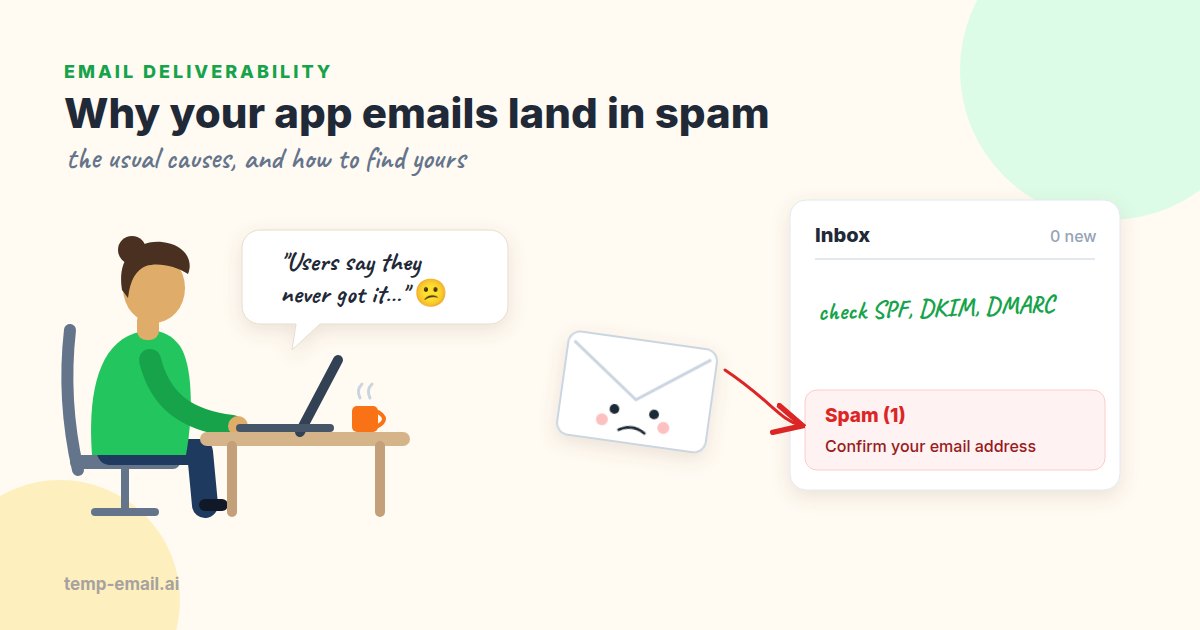
It's the Monday after launch. Support has five tickets that all say some version of "I never got the confirmation email". Your logs say every message was delivered. Both things are true: "delivered" means the receiving server accepted the message, not that it reached the inbox.
Spam filters weigh three things: who you are (authentication), how you behave (reputation) and what you send (content). Transactional email, the mail your app sends because a user did something, is usually small and expected. So when it lands in spam, the cause is almost always on a fairly short list. Let's go through it, then turn it into a checklist you can work through in an afternoon.
The usual causes
1. Authentication that passes but doesn't line up
This is the most common one we see. SPF and DKIM pass, but for your email provider's domain instead of yours, so DMARC fails. If your domain has a DMARC policy of quarantine or reject, receivers do exactly what you asked and file the message as spam or refuse it. If you have no DMARC record at all, Gmail and Yahoo now count that against you once you send in volume (see Yahoo's sender best practices).
The fix is usually the "domain authentication" page in your provider's dashboard. We wrote a full walkthrough with real records and dig commands in SPF, DKIM and DMARC explained.
2. Sending straight from your app server
It is tempting to point your framework's mailer at localhost:25 on the web server and call it done. The problems: cloud IP ranges have poor email reputation by default, the IP often has no reverse DNS (a PTR record that maps the IP back to a hostname), and many cloud providers block outbound port 25 anyway. Gmail requires matching forward and reverse DNS for sending IPs.
Unless running mail servers is your job, send through a transactional email provider. They handle IP reputation, reverse DNS, bounce processing and feedback loops, and most have a free tier that covers a small app.
3. Cold starts and sudden spikes
A new domain or a new dedicated IP has no history, and receivers are cautious with strangers. If you send 40 emails a day during the beta and 30,000 on launch day, that jump looks exactly like a spammer who just bought a domain. Ramp up over a couple of weeks if you can, and send the mail people are waiting for (confirmations, resets) before anything promotional.
4. Marketing mail dragging transactional mail down
Reputation is tracked per domain and per IP. If your newsletter and your password resets share both, every "mark as spam" on the newsletter also hurts the resets. Split them: transactional mail from mail.bookshop.example, marketing from news.bookshop.example, ideally on separate streams or IP pools at your provider. Then a bad newsletter week stays a newsletter problem.
5. Your test suite sending to addresses that don't exist
This one surprises people. A nightly CI job signs up 200 users with addresses like qa-1730000000@example.com or test@test.test. Staging uses the same provider account and sending domain as production. None of those addresses can receive mail, so every message is a hard bounce, and a high bounce rate is one of the strongest signals that a sender is careless.
Point automated tests at a local mail catcher such as Mailpit: it accepts everything and sends nothing out. For the few checks that must prove real delivery, do them by hand before a release and send to an address that exists, such as a disposable inbox for testing or your team's own Gmail and Outlook test accounts. And give staging its own provider account or subaccount, so its mistakes stay out of production's numbers.
6. Sign-up forms that bots can fill in
If anyone can type any address into your sign-up form, bots will. Your app then sends verification emails to people who never heard of you. Some of them press "Report spam", and your complaint rate climbs toward Gmail's 0.3% limit. One or two complaints per thousand emails is enough to start hurting.
Add a CAPTCHA or a challenge such as Cloudflare Turnstile, rate-limit sign-ups per IP and per address, and put a cooldown on "resend verification email". Also add one line to the email: "If you didn't sign up, you can ignore this message." People who know they can ignore a message are less likely to report it.
7. Content and links
Content matters less than it did ten years ago, but some patterns still hurt:
- Link shorteners and raw IP links.
http://203.0.113.10/verifylooks like phishing because phishing does exactly that. - Leftover staging or localhost links. A
http://localhost:3000link in a production email is both broken and suspicious. - Click tracking on a shared domain. Your provider rewrites every link through its tracking domain, which other senders share. Set up a branded tracking domain, or turn click tracking off for transactional mail (it also rewrites one-time links, which you rarely want).
- HTML only, or one big image. Send a plain-text part alongside the HTML, and keep the important words as text.
- Shouty subjects. "ACTION REQUIRED!!! Verify NOW" is worse than "Confirm your email for Bookshop".
Several of these are really rendering bugs, and they are easy to catch before release. Our guide on testing email HTML rendering includes a script that reads each email from Mailpit and checks every link in it.
8. Hand-built messages
Code that builds MIME by string concatenation tends to forget a Message-ID or Date header, or mixes line endings. Google's sender guidelines require properly formatted messages, and filters notice. Use a mail library, and send both parts:
import nodemailer from 'nodemailer';

const transport = nodemailer.createTransport({
  host: 'smtp.your-provider.example',
  port: 587, // STARTTLS
  auth: { user: process.env.SMTP_USER, pass: process.env.SMTP_PASS },
});

// Nodemailer adds Message-ID, Date and the multipart structure for you.
await transport.sendMail({
  from: '"Bookshop" <orders@mail.bookshop.example>',
  to: order.customerEmail,
  subject: `Your order #${order.id} has shipped`,
  text: `Hi ${order.firstName},\n\nYour order #${order.id} is on its way.\nTrack it: ${order.trackingUrl}\n`,
  html: renderShippedEmail(order),
});
A step-by-step debugging checklist
When someone reports a missing email, work through these in order. Each step either finds the problem or rules out a whole category.
- Was it sent and accepted? Find the message in your provider's activity log. Look for delivered, deferred, bounced or dropped. "Dropped" often means the address is on the suppression list because it bounced or complained once before. That is a missing email, not a spam problem.
- Who is affected? One user, or everyone at one mailbox provider? Ask which address they used. Gmail, Outlook.com and Yahoo all filter differently, so keep a test account at each.
- Does the message itself arrive and look right? Trigger the same flow to a fresh disposable inbox on temp-email.ai. It shows you the message left your system, with the right links and content. It has no spam folder and doesn't keep raw headers, so it can't tell you about inbox placement. That is what the next step is for.
- Read the authentication results. Send the same email to your Gmail test account, open it, click the three dots and choose Show original. You want SPF, DKIM and DMARC all at PASS, with your own domain next to each.
- Check DNS and reverse DNS. Use
dig(examples below) to confirm one SPF record, a DKIM key and a DMARC record. If you send from your own IP, check that its PTR record exists and resolves back. - Check blocklists. Look up your sending IP and domain on MXToolbox or Spamhaus. On a shared provider IP, a listing is the provider's job to fix, but it's still worth knowing.
- Score the content. Tools in the style of mail-tester.com give you a unique address; you send your email there and get a SpamAssassin score with the exact rules it triggered, plus header checks.
- Check reputation dashboards. Google Postmaster Tools shows your spam rate and domain reputation once you send enough volume to Gmail. Microsoft offers SNDS for IP data.
- Change one thing, then retest. Write down what you changed. Changing three things at once leaves you guessing which one helped.
For step 5, these are the commands we reach for. The sending IP is in the Received: lines of Gmail's Show original view:
# Authentication records for the From domain
dig +short TXT mail.bookshop.example | grep -i "v=spf1"
dig +short TXT _dmarc.bookshop.example
dig +short TXT s1._domainkey.mail.bookshop.example

# Reverse DNS for the sending IP, then forward again: both should match
dig +short -x 198.51.100.25
# mta25.mail.bookshop.example.
dig +short A mta25.mail.bookshop.example
# 198.51.100.25
Three examples, with fixes
Example 1: the launch-day spike
A bookshop app sent about 40 emails a day during its beta. A newsletter mention brought 9,000 sign-ups in one afternoon, and marketing chose the same afternoon to send a welcome campaign to the old waiting list. Gmail started deferring mail with 421 4.7.28 errors ("unusual rate of unsolicited mail"), and messages that did get through often went to spam.
The fix was dull and effective. Marketing moved to its own subdomain and was paused for a week. Confirmation emails were sent first, at a steady rate from a queue instead of in bursts. Within a few days the deferrals stopped, and the spam placement went with them.
Example 2: the CI job that bounced every night
A team's end-to-end suite created 150 users per night on staging, all at @example.com. Staging used the production API key. The provider's dashboard showed a 7% bounce rate, and over a few weeks real password resets started landing in spam at Outlook. Nobody connected the two until someone looked at bounces by recipient domain.
The fix had three parts. Staging moved to its own subaccount at the provider. The nightly suite now sends to Mailpit, a mail catcher that runs next to the tests and accepts every message without delivering any of it. And one real sign-up became a manual step on the release checklist instead of a nightly job. Here is the CI side, with Mailpit as a GitHub Actions service container:
# .github/workflows/e2e.yml (excerpt)
jobs:
  e2e:
    runs-on: ubuntu-latest
    services:
      mailpit:
        image: axllent/mailpit
        ports:
          - 1025:1025 # SMTP
          - 8025:8025 # web UI and REST API
    env:
      SMTP_HOST: localhost # the app under test sends here, not to your provider
      SMTP_PORT: 1025
    steps:
      - uses: actions/checkout@v4
      - run: npm ci
      - run: npm run test:e2e
      - name: Check that the suite's email stayed in Mailpit
        run: |
          total=$(curl -s 'http://localhost:8025/api/v1/messages?limit=1' | jq .total)
          echo "Mailpit caught $total emails"
          test "$total" -gt 0
The last step fails the build if Mailpit caught nothing. That usually means someone changed the mail settings and the suite is sending through the real provider again, which is exactly how the bounces started.
The manual step takes a couple of minutes. Before each release, a tester opens temp-email.ai in a new tab, signs up on staging with that address, and checks that the confirmation email arrives within a minute or so, from the right sender, with links that point at staging. Then they repeat the sign-up with the team's Gmail and Outlook test accounts to see which folder it lands in. The bounce rate fell below 1% within a week, and the password resets found their way back to the inbox soon after. For the full pattern, including the confirmation link, see how to test email verification.
Example 3: verification emails nobody asked for
A small SaaS app noticed its complaint rate in Postmaster Tools jump from almost zero to 0.4% over a weekend. The sign-up logs explained it: thousands of sign-ups from a few IP ranges, each with a different real-looking Gmail address. A bot was testing stolen address lists, and the app was dutifully emailing every victim.
They added Turnstile to the form, a limit of three sign-ups per IP per hour, and the "ignore this if it wasn't you" line. The complaint rate fell back below 0.1% within a week. The confirmation emails themselves hadn't changed at all; their audience had.
Fixes, roughly in order of impact
- Aligned SPF, DKIM and DMARC on your own domain.
- A transactional provider instead of your app server, with reverse DNS handled.
- Separate subdomains (and streams) for transactional and marketing mail.
- No test traffic to addresses that can't receive mail; a separate staging account.
- Bot protection and rate limits on any form that triggers an email.
- Clean links: your own domain, HTTPS, no shorteners, no staging hosts.
- Both HTML and plain-text parts, built with a real mail library.
- A steady sending rate, ramped up slowly for new domains and IPs.
Spam placement feels mysterious because you can't see inside the filters. But for transactional mail, the causes are usually boring and fixable: a missing DNS record, a noisy neighbor, a test suite bouncing in the background. Work through the checklist one step at a time, keep a few test accounts handy, and you'll usually find the culprit before lunch.